










What can you expect?
This comparison will help you understand the strengths of each platform and decide which is best for your specific needs.


 Who should use |  Marketing teams, freelancers, agencies  Small businesses, design first projects, small teams |
 Design interface | Structured approach to designing Visual and freeform designing |
 SEO | Integrated SEO tools Supports basic SEO capabilities |
 Animations | Allows complex animation creation Preferred for micro-interactions |
 E-commerce | Robust features Robust features |
 Templates | Ready-to-use templates Visual and freeform designing |
 3rd-party integrations | Varied integration options Varied integration options |
 No. of site plans | 5 site plans in total 4 site plans in total |


Reliable performance built for growth
Flowtrix builds on Framer’s stable, scalable infrastructure, ensuring your business runs on a foundation that’s as strong as your brand vision.

Flexible Customisation
Adapt layouts, interactions, and components without touching code, giving teams the agility to iterate fast.
Design Without Restrictions
Build beautiful, responsive websites with a true visual canvas. Framer gives you total creative control.
Scalable for Growth
From startups to enterprise, Framer handles traffic, content, and performance effortlessly.
Built for Collaboration
Framer’s editor lets marketers, designers, and devs work together, no handoffs, no friction.
Ease of Maintenance
Update content, launch pages, and optimize SEO, all from one place, without breaking a thing.
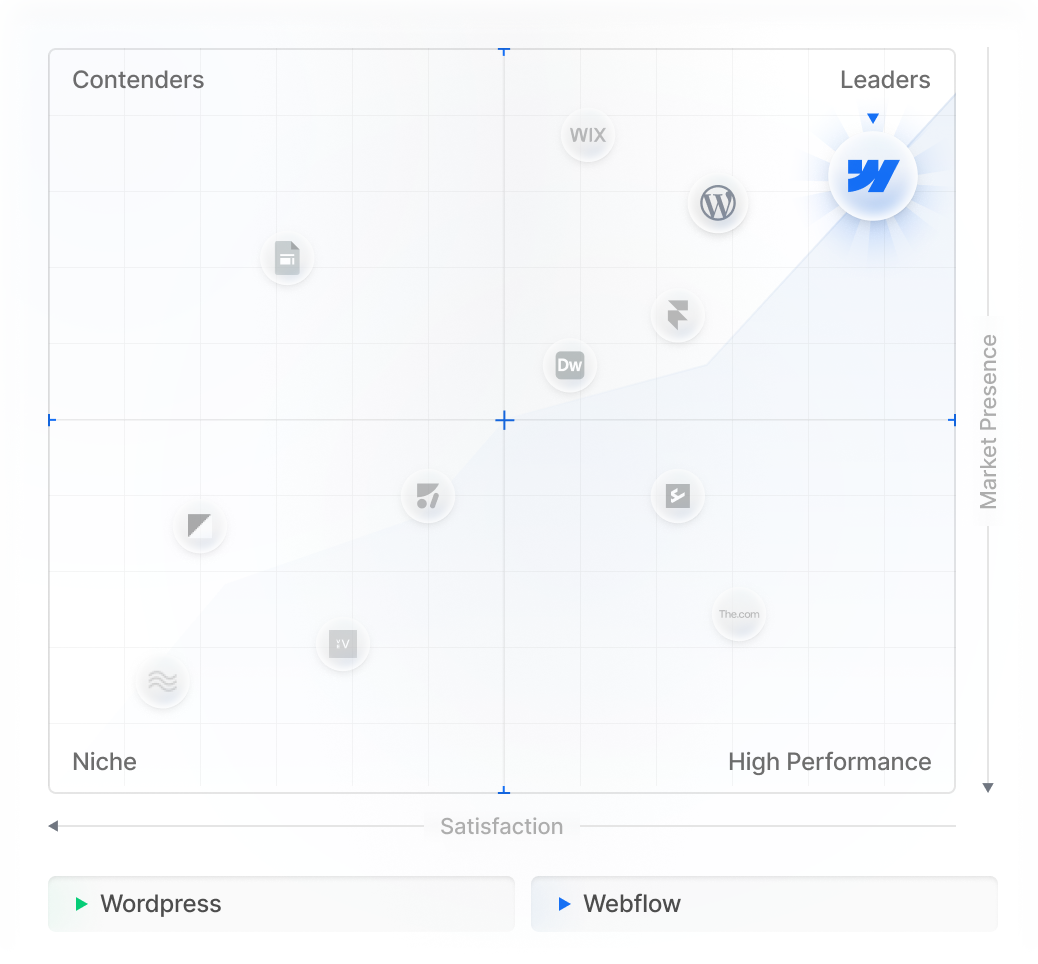
Market position comparison


What information should I prepare before our initial discovery call?
It is helpful to have your project goals, target audience, brand guidelines, and an approximate budget ready for discussion.
What makes Flowtrix different from other agencies in Edtech?
Unlike other agencies, we understand your business first, rather than jumping straight into the scope. Our discovery call is a tailored conversation where we listen carefully to your goals, challenges, and unique needs, enabling us to draft value-driven solutions.
How long do projects typically take?
An average Edtech website design project timeline typically ranges from 8 to 10 weeks. However, every project is unique, and we tailor the schedule to accommodate its specific scope and requirements for the best output.
Do you offer on-going support?
Yes, our support plan will help you get right back on the track, while we take care of the maintenance tasks
Do you help highlight product impact or case studies?
Absolutely. We structure and design impact pages, proof sections, and real-world success stories to help institutions trust your platform faster.
Can you support product-led and sales-led EdTech models?
Yes. Whether your flow is free trial → activation or demo → institution onboarding, we tailor the site to match your funnel.
Do I need a Zapier or Make subscription for these integrations to work?
It depends on the solution. While we often use "no-code" middleware for speed, we also build native custom code integrations and direct API connections that can bypass third-party subscription costs entirely, saving you monthly overhead as you scale.
Can Flowtrix build a custom dashboard or client portal inside Webflow?
Absolutely. By integrating Webflow with tools like Firebase, Wized, or Memberstack, we can create personalized user experiences, gated content, and dynamic dashboards that pull real-time data from your external databases.
What happens if an API changes or an integration breaks?
External platforms update their APIs frequently. We offer Managed Integration Support, which includes proactive monitoring. If an endpoint changes or a connection fails, our team is alerted immediately to implement a fix before it impacts your business operations.
Can you integrate Webflow with our internal, proprietary software?
Yes. If your internal system has a documented API (REST or GraphQL), we can build a secure bridge. If it doesn't have an API, we can often consult on setting up a middleware layer to make your data accessible to your Webflow frontend.


.avif)






.svg)
.svg)